 IntroductioninfoGetting StartedConvenient UsageAdvanced Usage
Introduction to Cascade
Reactive front end framework, with an integrated state management system.
The purpose of Cascade is to make it simple and fast to build advanced user interfaces that are data driven, generative and reactive.
Unlike most reactive UI frameworks, Cascade renders directly onto a live target in one pass - reading and writing the real DOM in tree order - rather than building an abstract tree first and reconciling it separately. All while still ensuring minimal changes to the DOM upon change.
World's first: Temporal Signals
Signals are great for building reactive systems, and they come in many forms and shapes, such as properties of MobX observables or Vue property values. But the problem with signals is: there is usually only one signal per object and per property.
This means that with signals you are forced to build an explicit dependency graph, storing intermediary values as their own signals.
But this is not how rendering and document transformation is normally done! When rendering, and when transforming documents, there is a sequence of operations that transform the same object.
Temporal signals allow us to build a pipeline of readers and writers of data that manipulate the same data objects. They each operate within their own time frame, only invalidating other readers downstream in the pipeline.
Where signals introduce the space dimension for observation, temporal signals also introduce the time dimension for observation.
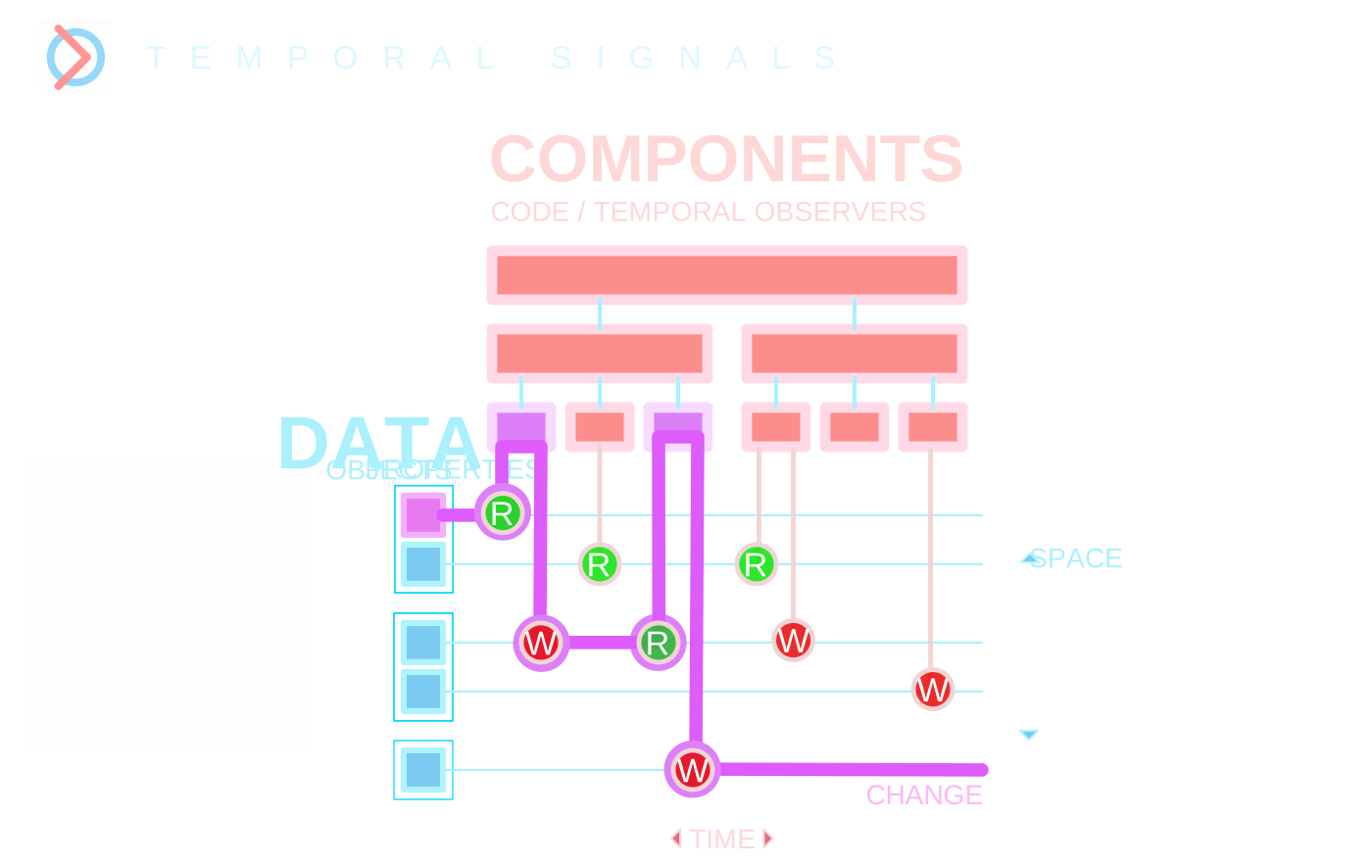
In a small form: three readers and writers of the same object, in a pipeline, at three fixed times. The first capitalizes the heading's text and the second doubles its size - each by writing the very property it reads - and the third sees the result. Change one property, and only the steps that read it along the way run again: two of the three, never all of them.
With ordinary signals - one value per property - a step can't tell its input from its own output. Reading back the size it just doubled, it would either set itself off again, doubling over and over (MobX, for one, gives up after 100 rounds), or, where a reaction can't trigger itself, the original size would be lost for good, and the next time the step runs it doubles its own result. The way around it is a signal of its own for every intermediate value - an explicit dependency graph, built by hand.
import getWorld from "@liquefy/cascade.reactive";
const { observable, repeat } = getWorld({ timeLevels: 3 });

const heading = observable({ text: "hello world", size: 16 });

// Time 0: capitalizes the text - writing the very property it reads.
repeat(() => { heading.text = heading.text.toUpperCase(); }, { time: 0 });

// Time 1: headings are twice the size - the same, for the size.
repeat(() => { heading.size = heading.size * 2; }, { time: 1 });

// Time 2: sees the heading as times 0 and 1 left it.
repeat(() => console.log(heading.text, heading.size + "px"), { time: 2 });
// HELLO WORLD 32px

heading.text = "temporal signals";
// TEMPORAL SIGNALS 32px - times 0 and 2 run again,
// time 1 doesn't: it never read the text.

heading.size = 20;
// TEMPORAL SIGNALS 40px - times 1 and 2 run again, time 0 doesn't.
// Time 1 reads the new 20, not its own 32: no doubling twice.
In Cascade this mechanism is used to define a reactive order of rendering, so that a parent can render before its children, measure its bounds, and pass the bounds on to its children for programmatic reactive layout. So temporal signals are used in Cascade to build a reactive front end framework with unprecedented precision.
But the real use case where temporal signals shine is when building WYSIWYG word processors and other document editors, which temporal signals are especially engineered for.
Standout feature
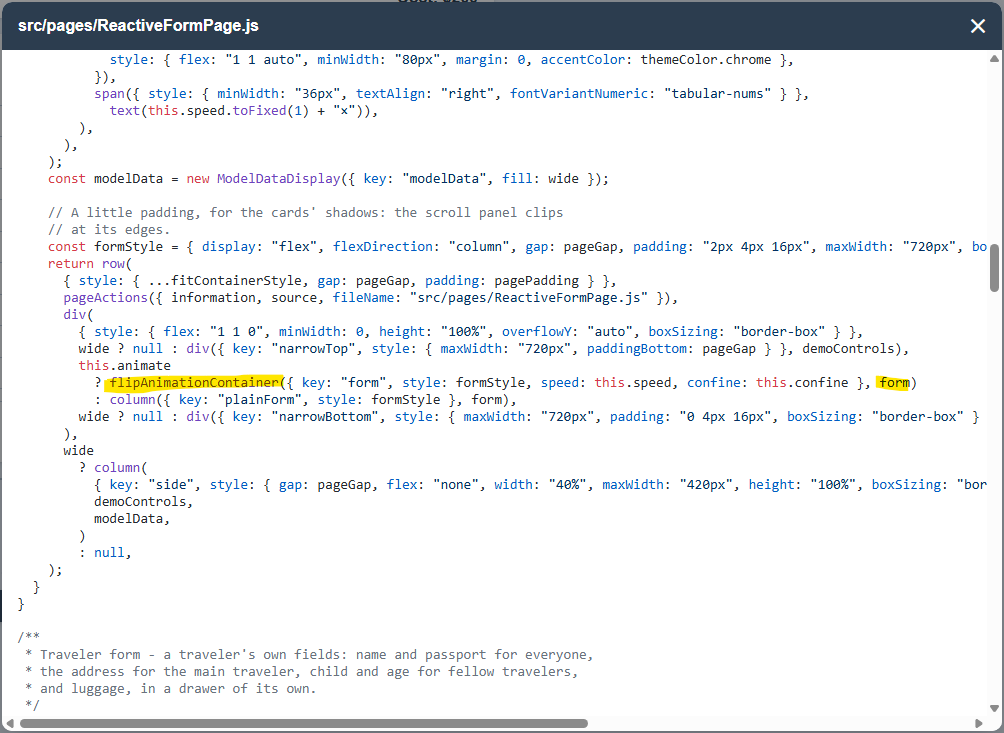
Name another reactive front end framework where animating an entire form can be reduced down to a one-liner. This becomes possible because of sub-frame render precision and temporal reactivity that can do complex FLIP-animation setup in the middle of a render cycle.
Technical features
- Sub-frame render precision Since all components render in a well-defined order in real time with access to the real DOM, it enables advanced animation setup or layout measuring within the same frame.
- JS Proxies for fully transparent data dependency tracking - no dependencies to declare.
- Temporal signals (see above): Allows for implicit dependency tracking between multiple ordered readers and writers of the same render target.
- Minimal DOM updates for fine-grained, targeted change response: a rebuild touches only the nodes that actually changed.
- Stable identity across rebuilds - keyed components are matched to the ones they replace, so their local state and DOM elements are kept. For simpler static structures, the system also uses pattern matching to reuse already established components.
- Component lifecycle control - a component that stops being rendered (a page switched away from, a breakpoint) keeps its state and DOM elements, and comes back as it was.
- Programmatic responsive layout driven by real DOM measurement rather than CSS media queries - see the menu breakpoint, and the Programmatic Reactive Layout page.
- Service locators throughout - every element and widget is asked for, not constructed, so themes can replace whole components at runtime, and any part of the app can have services of its own (see the Themes page).
- Component inheritance - Conveniently inherit properties from structural parents.
- Hydration - a UI can be written as a document: plain data, a tree of service queries, turned into components by the same service locators (see the Hydration page).
- DOM transition animations - elements moving within or between parents, resizing, appearing and leaving all animate, with no changes to the components animated (see the Animation page).
- Portals - a component can put content somewhere else in the tree, as this demo's pages do with their buttons in the top bar.
- JavaScript first - no CSS files, and no compile step required: the user interface is built with plain JavaScript functions.
- JSX support - for those who prefer it: JSX tags compile to service queries, a document that hydrate() turns into components, just like on the Hydration page (see the JSX page).
- Prerendering - every page of an app rendered in a real browser at build time, and written down as plain HTML, with its title, description and structured data. Search engines, link previews and AI read the page without running it, and the app takes over as it loads. Made for web shops (see Advanced Usage).
Key concepts
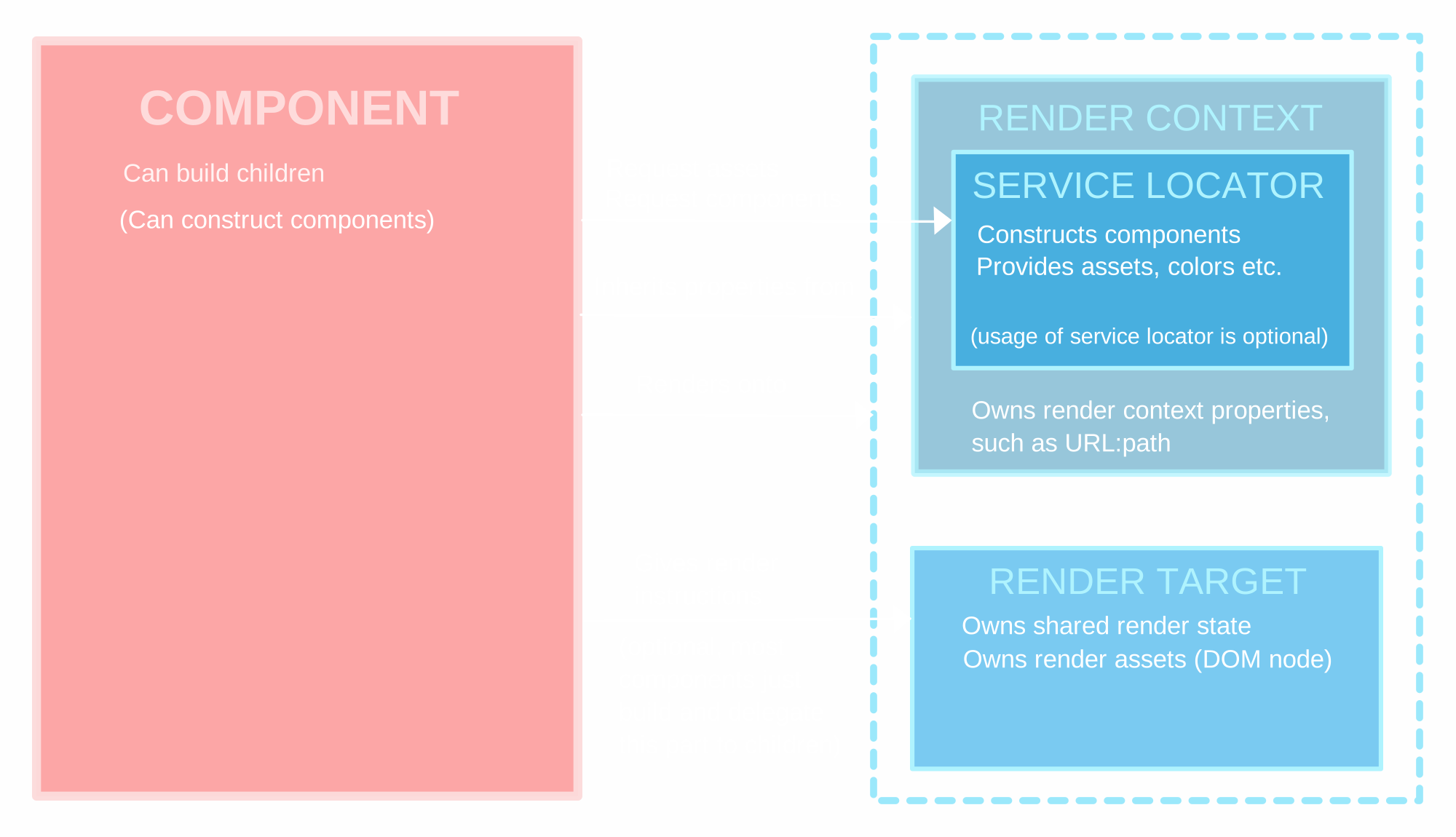
Components can override either build() or render(). 'Build components' just build children and let them do all work. 'Render components' however interact directly with the render target and give direct render instructions. Both see the render context - what the components around them provide - which holds only timeless values: build components see the final value of every property.
Conventions, or the lack thereof
Cascade offers opportunities and features, with as few requirements as possible. There are multiple ways to do the same thing in this framework, and everyone can find a style of development that fits them. For example:
- The service locator is totally optional. If someone wants to build an app without it that works fine as well. Components then just construct their children directly.
- When it comes to creating components, you can either:
- Call the component constructor directly
- Call one of many convenience functions that indirectly gets the component from the service locator OR in some cases constructs them directly
- Write JSX inside your component, which compiles to a compound request object - a document of service queries - that hydrate() hands to the service locator
- Building children in the build function is a convenience and allows for the use of keys to maintain a stable object identity, but a parent can also construct a child during its initialization and dispose of it when the parent itself is disposed. Components can also be constructed entirely outside of the framework.
- Most components delegate their rendering to a sequence of children, but other components could implement the render function directly and take charge of DOM manipulation directly.
- As a rule of thumb, app components build, and library components render. Because if there is a need to take control and render something, it could probably be built into a reusable component. But someone might build a render-oriented application by only implementing the render function for all components, and that could have its merits too.
- Today there is cascade.DOM that allows for rendering an application on a DOM, but another implementation of the render target could have the same app operate on top of totally different infrastructure. (Think React Native, or server-side rendering as in Next.js.)
Are you a React developer?
React and Cascade are very different, there is some React DNA in Cascade - the author of Cascade was a huge fan of React from its very start.
Similarities
- Similar to React, Cascade has render functions where you can use keys to maintain a stable identity for children during rebuilds. But for Cascade, keys need to be unique per build, not just amongst siblings. This enables child components to move to new locations, which can be important for automated flip animations. Similar to React, Cascade also use pattern matching to allow for a stable identity for static child components.
- Cascade supports JSX syntax, for those who prefer it over plain Javascript.
Differences
- React has a black box render cycle, where you can only interact with the DOM between renders. Cascade lets your own code go in and analyze and modify the DOM during the render. So many things that would take several frames in React can be done in a single frame.
- Cascade has a state management system of its own, based on JS Proxies, whereas React is usually paired up with an external system for its application state.
- Object orientation vs. pure functional programming. "React went down a path I could not follow." React started out object oriented, with lifecycle functions, and later shifted towards functional programming. The reason is probably Redux: a state management system based on functional programming, using immutable objects and root identity to detect changes. Cascade, however, can stay object oriented, since its JS Proxies detect changes in any object.
Cascade is what you would get if you took all the capabilities of React and MobX, added temporal signals, and mixed it all together. It can do everything those systems can do - but with temporal signals and sub-frame precision, it takes it to the next level.
Repository
https://github.com/erobwen/liquefyThis demo is a work in progress.